





Call of Duty®: Mobile


Installs
100M+Category
CompetitiveContent Rating
Mature 17+
Screenshots
What This Game Is About
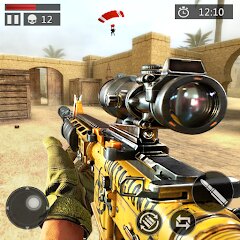
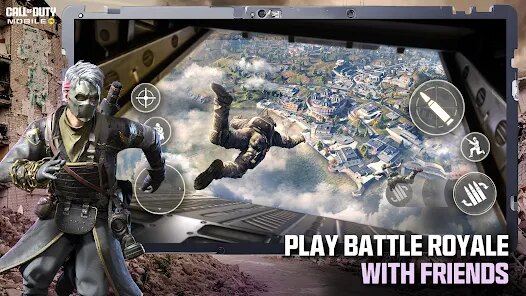
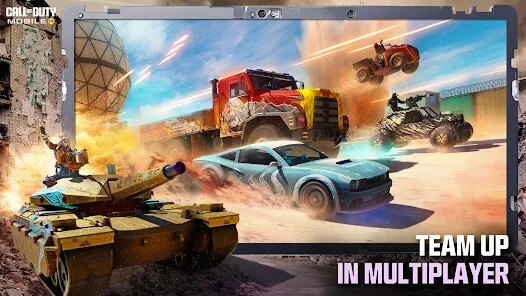
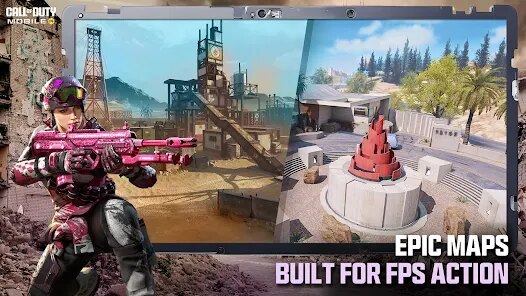
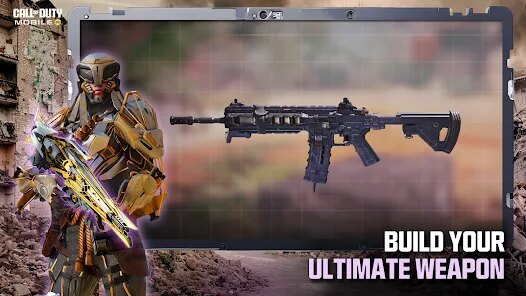
Call of Duty: Mobile is a popular shooting game for phones. It brings the famous Call of Duty action to your mobile device. You play as a soldier in fast-paced battles. The game has different modes like team deathmatch and battle royale. You can use many real-world guns and gear. The controls are made simple for touch screens. Call of Duty: Mobile feels like the big console games. It has great graphics and smooth gameplay. Millions of people play it every day for exciting matches.
Players download Call of Duty: Mobile to fight online. You join quick multiplayer matches against others. The game is free to play with optional in-game purchases. It shows ads sometimes to support the free version. You can customize your soldier with different outfits. Earning experience points lets you unlock new weapons. The battle royale mode puts 100 players on a big map. Teamwork is very important to win in Call of Duty: Mobile.
You can get Call of Duty: Mobile on Google Play and the App Store. Android players can also find the latest APK on this page to install. Games like PUBG Mobile and Garena Free Fire are similar. However, Call of Duty: Mobile is different because of its famous brand. It has unique maps and modes from the Call of Duty series. The controls feel more polished than many other mobile shooters. Regular updates add new content to keep the game fresh.
How To Get Started?
❓ Where do I download the game?
You can get a free download of Call of Duty: Mobile from official stores. Android players will find the latest APK file right on this page. Just install it on your device to start. Then you can play the full game right away after the install finishes.
❓ How do I install it on my phone?
After you download the Call of Duty: Mobile APK, open the file. Your phone will ask for permission to install from unknown sources. Allow this just once for the game installer. Then simply follow the on-screen steps to complete the setup.
❓ What will I see when the game opens?
When Call of Duty: Mobile opens, you see the main lobby screen. There are buttons for different game modes like Multiplayer and Battle Royale. Your player profile and daily missions are shown here. You can also access the store and settings from this main screen.
❓ How do I control the game?
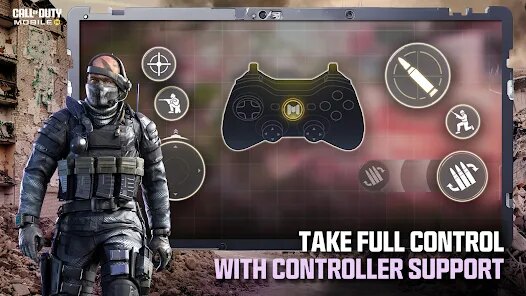
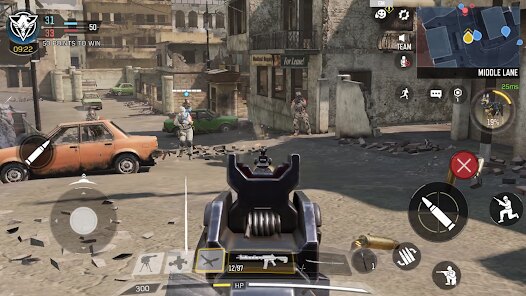
You control Call of Duty: Mobile by tapping and swiping on the screen. The left side has a virtual joystick for moving your soldier. The right side has buttons for aiming, shooting, and jumping. You can customize the position and size of these controls in settings.
❓ What can I do inside the game?
Inside Call of Duty: Mobile, you can play competitive multiplayer matches. You can also try the large-scale Battle Royale mode with 100 players. There is a Zombies mode for fighting waves of enemies. You can complete seasonal challenges and events for rewards.
❓ Can I play on Android or iPhone?
Yes, Call of Duty: Mobile is available for both Android phones and iPhones. Android users can install via Google Play or an APK. iPhone users download it directly from the iOS App Store. The game experience is very similar on both types of devices.
Download Apk File
Online Games








Disclaimer
1 . Tikagames does not represent any developer, nor is it the developer of any App or game.
2 . Tikagames provide screenshots, historical version Apk, links and other information, which we collected from Google Play. We will also add our own reviews to provide users with more information to choose.
3 . All trademarks, registered trademarks, product names and company names or logos appearing on the site are the property of their respective owners.
4 . Tikagames abides by the federal Digital Millennium Copyright Act (DMCA) by responding to notices of alleged infringement that complies with the DMCA and other applicable laws.
5 . We guarantee the security of apk files downloaded from our site and also provide the official download link at Google Play Store and App Store.
6 . If you are the owner or copyright representative and want to delete your information, please contact us [email protected].
7 . All the information on this website is strictly observed all the terms and conditions of Google Ads Advertising policies and Google Unwanted Software policy.